DIY Ambient Room Lighting
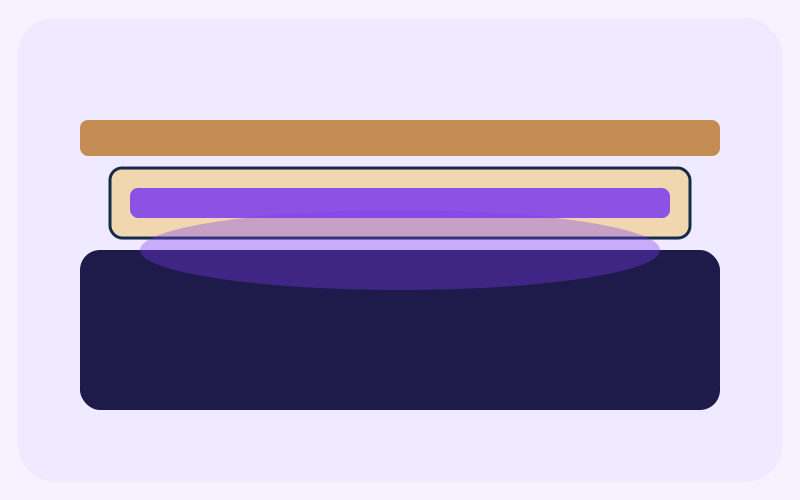
A low-voltage USB LED strip, hidden in a cardboard channel with a tracing-paper face, makes a soft line of light. The worked example is a 100 cm shelf with a 90 cm run and 5 cm clear at each end. Use a strip powered from USB at the voltage printed on its own label, and follow the manufacturer's instructions. This page does not name a brand, a lumen number, or a driver.
- Difficulty
- Beginner
- Time
- 30–60 min
- Budget
- $8–$18 USD (29–66 AED)
Estimate; varies by location. The dirham figure uses the UAE peg of 3.6725 per US dollar, rounded to the nearest dirham. It is not a shop quote.
Materials
Ticks stay in this browser only.
Qty: long enough for a 90 cm run
Purpose: The light. Unplugged while you build.
Qty: one piece 90 × 5 cm, longer if your run is longer
Purpose: The channel that hides the strip
Qty: about 90 × 4 cm
Purpose: Lines the inside of the channel
Qty: 90 × 1.5 cm
Purpose: Diffuser. It must not touch the LED chips.
Qty: 3
Purpose: Hold the channel. They do not hold a shelf of books.
Qty: a short length
Purpose: Holds the diffuser on the lips of the channel
| Done | Item | Qty | Purpose |
|---|---|---|---|
| long enough for a 90 cm run | The light. Unplugged while you build. | ||
| one piece 90 × 5 cm, longer if your run is longer | The channel that hides the strip | ||
| about 90 × 4 cm | Lines the inside of the channel | ||
| 90 × 1.5 cm | Diffuser. It must not touch the LED chips. | ||
| 3 | Hold the channel. They do not hold a shelf of books. | ||
| a short length | Holds the diffuser on the lips of the channel |
Tools
- Ruler and pencil
- Scissors or a craft knife
- Cutting mat
- Soft cloth, to clean the mounting surface
Steps
Steps 1: Measure the run
Measure the surface. On a 100 cm shelf, leave 5 cm clear at each end and plan a 90 cm run in the middle (100 − 5 − 5). If your shelf is a different length, keep the end gaps and shorten the channel. Do not plan a run longer than the strip. Unplug the strip while you measure and build.
Steps 2: Dry-fit the strip
Hold the strip in place without peeling any adhesive. The USB lead should reach a port without being pulled tight, and it should leave the channel at one end. If the strip is longer than 90 cm, stop at 90 cm. Cut only on the cut marks the manufacturer printed, and only if those instructions say the marks are safe to cut, and only while it is unplugged.
Steps 3: Cut and score the channel
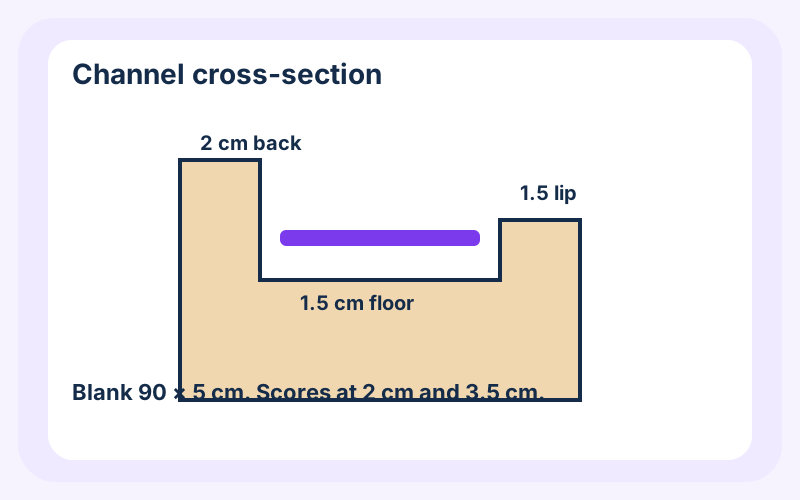
Cut a blank 90 cm long and 5 cm wide. Score along the length at 2 cm and at 3.5 cm. That is a 2 cm back, a 1.5 cm floor, and a 1.5 cm lip (2 + 1.5 + 1.5 = 5). Fold a U. If your strip is wider than 1 cm, add the extra to the floor before you score, so the lip still stands in front of the strip.
Steps 4: Line the channel and mount it
Glue white paper on the inside of the U so the cardboard does not read as a dark gap. Fit the channel with a mounting square at each end and one in the middle, 3 in all. Press for the time the squares' own pack asks. The channel holds a light strip, not a row of books.
Steps 5: Set the strip in the floor of the channel
Clean the floor. Peel the strip's backing a little at a time and press it on, centered, so it does not ride up the lip. The chips face out through the open side. Do not add another layer of glue over the chips. Keep the strip unplugged.
Steps 6: Add the diffuser without touching the chips
Cut tracing paper, or frosted plastic, 90 × 1.5 cm. Tape it to the lip and the back so it covers the opening. It should not press on the chips. If it sags onto them, the floor is too narrow or the tape is too tight. Refit it with a gap. Paper sitting on a lit chip can scorch. Leave the strip unplugged until the paper is clearly clear of the LEDs.
Steps 7: Test, and leave a way to unplug
Plug into the USB supply that came with the strip, or into a USB port, as the manufacturer describes. Look along the diffuser. If a spot feels much hotter than the rest, unplug and refit the paper. Route the lead so a tug pulls the plug rather than tearing the channel down. Unplug the strip when you leave the room for a long time.
Final result
A 90 cm channel on a 100 cm shelf, with the USB strip hidden and a tracing-paper face. There is 5 cm clear at each end. The light should read as a soft bar.
Safety
- Follow the manufacturer's instructions for voltage, cutting, and the power supply. This page does not replace them.
- Use a low-voltage USB strip. Do not connect it to mains power, and do not improvise a driver.
- Unplug the strip while you cut, glue, or refit the paper.
- Keep paper, fabric, and bedding off the LED chips. If anything smells hot or looks browned, unplug it and leave it unplugged.
- Do not leave the strip running where a curtain or a pillow can cover it.
- Nothing on this page is a safety certification. If the strip, the lead, or the port is damaged, do not use it.
Tips and common mistakes
- Build the channel to your measured run. 90 cm is for a 100 cm shelf with 5 cm gaps.
- Follow the strip's own cut marks. A cut between marks opens the circuit.
- Common mistake: wrapping the strip in fabric or tissue. Use the tracing paper on the channel, not a cover that sits on the chips.
- Common mistake: a mains-powered driver, or a strip meant for household voltage. This project is a USB strip only.
- Check the paper gap before you commit the tape.
Related projects
Home & Organization
DIY Desk Organizer
A 20 × 12 × 10 cm cardboard tray with four compartments for pens, clips, and notes.
- Beginner
- 30–45 min
- $2–$6 USD (7–22 AED)
Cable Management Station
Three adhesive clips and one mount that keep light desk leads along a 30 cm zone.
- Beginner
- 20–30 min
- $4–$12 USD (15–44 AED)
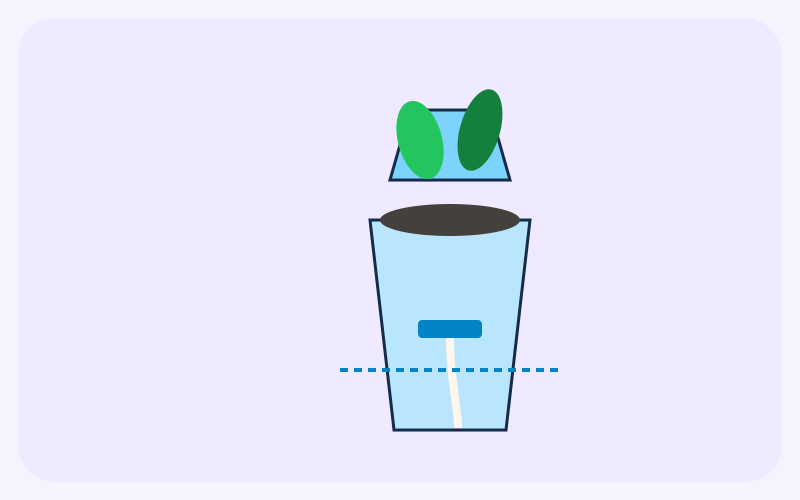
Self-Watering Plant Pot
A rinsed drink bottle, turned into a planter with a cotton wick and a visible water reservoir.
- Beginner
- 20–30 min
- $3–$10 USD (11–37 AED)